MotionCred™ Fitness Tracker
A light, $49 activity watch made for eFit Software LLC, the company behind eFit. It tracks your steps, heart rate, sleep and workouts all day with a free Android app.
When your fitness class or workplace wellness challenge runs on eFit, the app sends your activity there automatically.
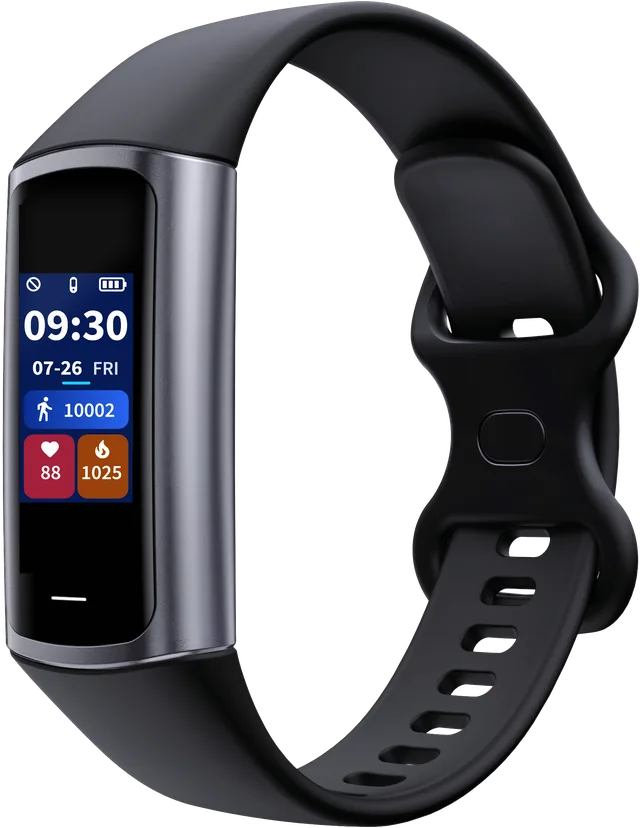
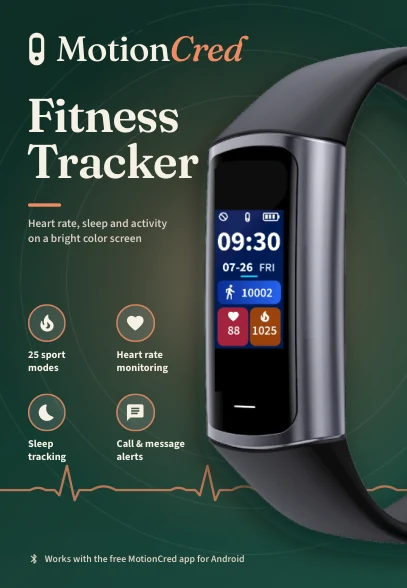
Welcome, MotionCred Owner
The back of your box says “Optional: send your activity to an eFit class or wellness challenge.” eFit is the online fitness platform made by the same company as your watch. Colleges and schools use it to run physical education and fitness courses, and workplaces and organizations use it to run wellness challenges.
Your watch is ready to use on its own. Pair it with the free MotionCred app and your activity is saved on your phone. Connect an eFit account any time you join a class or challenge that uses eFit.
What MotionCred Tracks
Everything below works with the free MotionCred app alone. An eFit account is optional.
Steps, distance and calories
Counted all day, every day, and shown right on the watch face.
Heart rate
Automatic heart rate checks through the day.
Blood oxygen (SpO2)
Check your blood oxygen level on demand.
Sleep
Deep sleep, light sleep and awake/REM time each night.
25 sport modes
Record walks, runs, rides and more as workouts.
Call, text and app alerts
See who is calling or messaging with a glance at your wrist.
| Model | C68L |
|---|---|
| Display | 0.96 in. color screen |
| Battery life | Up to 12 days of typical use |
| Charging | Built-in USB plug |
| Water resistance | IP67 |
| Wireless | Bluetooth 5.0 |
| Weight | 21.9 g |
| App | Free MotionCred app for Android 9 and later on Google Play. iPhone app coming later. |
| Price | $49 on Amazon, through motioncred.com |
From Your Wrist to Your Class in 3 Steps
Wear It and Pair It
Pair the watch with the free MotionCred app on your Android phone. Your activity starts saving on the phone from day one.
Connect Your eFit Account
When you join an eFit class or challenge, sign in to that eFit account in the app. Days you saved before connecting can be sent too.
Activity Sends Itself
The app sends your steps, distance, calories, heart rate and workouts to eFit automatically in the background.
Where Your Activity Goes
One watch and one app for a class, a challenge, and your food log.
eFit fitness classes
College and school physical education and fitness courses run on efit.health. Your activity lands in your course, where it counts toward the goals your instructor sets. See activity grading.
Wellness challenges
Workplaces and organizations run step and activity challenges on challenge.efit.health. Your steps and workouts count toward the challenge automatically. See wellness challenges.
eFit Nutrition
Food you log in the app syncs with the eFit Nutrition page, which offers USDA food search, barcode scanning, and Nutrition Facts label photos.
What Goes to eFit and What Stays on Your Phone
Sent to eFit after you connect
- Steps, distance and calories
- Heart rate
- Workouts
- Foods you log, for the eFit Nutrition page
Stays on your phone
- Sleep
- Blood oxygen (SpO2)
- Your body profile
- Phone alerts, which travel one way, from phone to watch

A Tracker Built to Work with Your eFit Class or Challenge
MotionCred gives participants a $49 watch that sends activity straight to eFit through its own app. Steps, heart rate and workouts arrive in your class or challenge in the background, and participants keep a full fitness tracker for everyday use.
Participants with other devices keep using them: any tracker that syncs to Google Health works with eFit, and a phone alone also counts steps. Talk with us about adding MotionCred to your class or challenge.
Want to look around first? Try the free eFit demo.
Questions About MotionCred and eFit
Health notice: MotionCred readings, including heart rate, blood oxygen and sleep, are wellness estimates for fitness use only. They are unsuitable for diagnosing or treating any medical condition. Talk with a health professional about medical questions.
MotionCred™ is a trademark of eFit Software LLC, Cypress, TX. Google Play is a trademark of Google LLC. Amazon is a trademark of Amazon.com, Inc. or its affiliates.