Interactive 3D labs for health and fitness courses
Twelve labs sit inside the eBook sections they teach. Students change the inputs, watch a 3D model respond, then test what they learned. No headset, no install: every lab runs in the browser, including on a phone.
The 12 labs, module by module
Each lab covers one concept from the reading, in the order the modules teach it.
Module 1: Intro to Health and Wellness
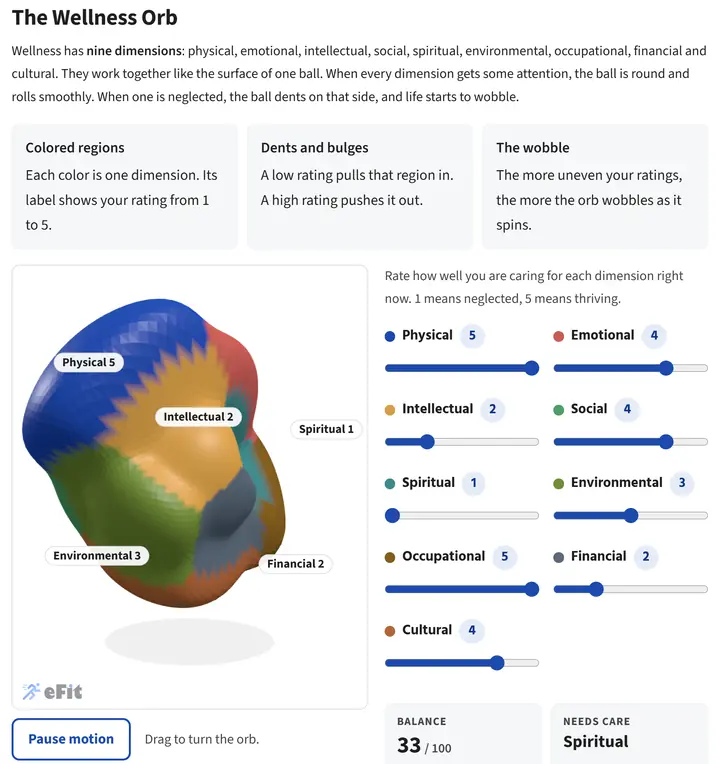
The Wellness Orb
Students rate the nine dimensions of wellness. Low ratings dent a spinning orb and make it wobble, and the lab names the lowest dimension, the dimensions it affects, and small actions to try.
Module 2: Cardiovascular Fitness
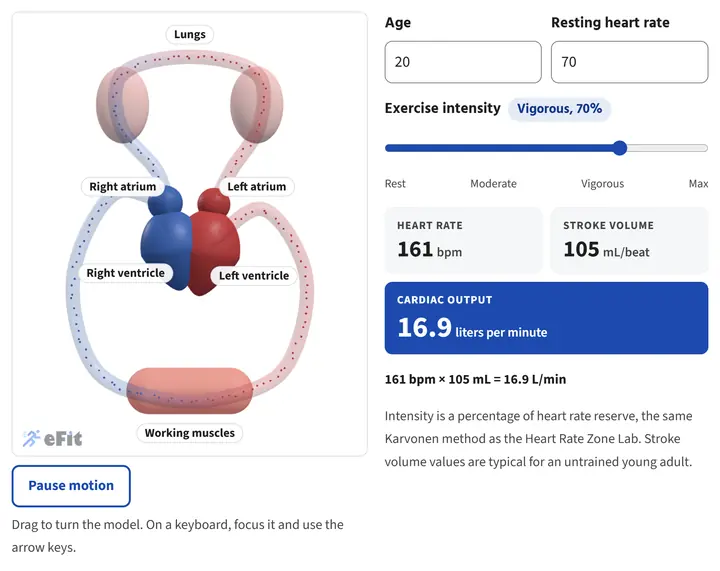
Your Heart at Every Intensity
Students raise exercise intensity and watch heart rate, stroke volume and cardiac output change on a beating heart with all four chambers labeled.
Module 2: Cardiovascular Fitness
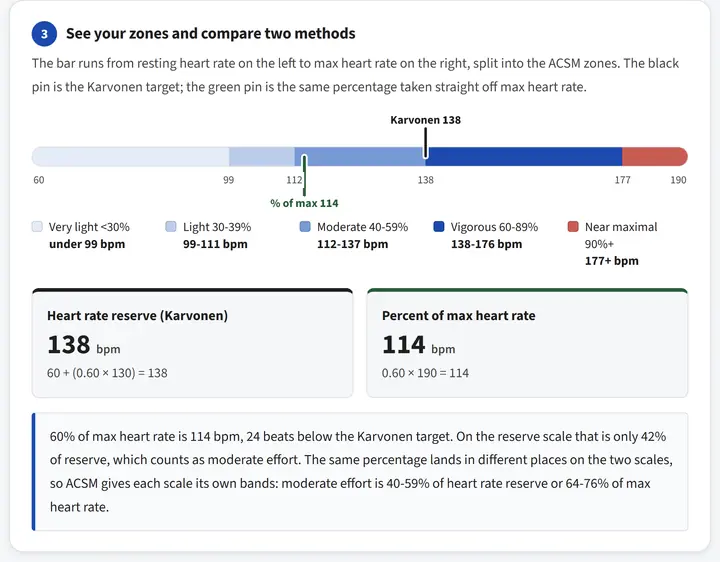
Heart Rate Zone Lab
Students enter their age and resting heart rate, find their training zones with the Karvonen method, and compare the result with a simple percent of maximum heart rate.
Module 2: Cardiovascular Fitness
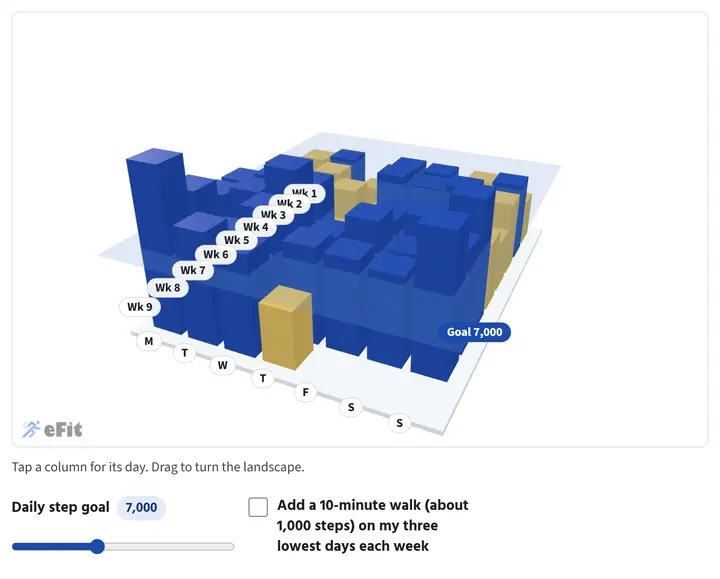
Your Steps as a Landscape
Students see their own last eight weeks of steps as 3D columns against a daily goal, find their lowest days, and see how three short walks a week raise their average.
Module 3: Muscular Strength and Endurance
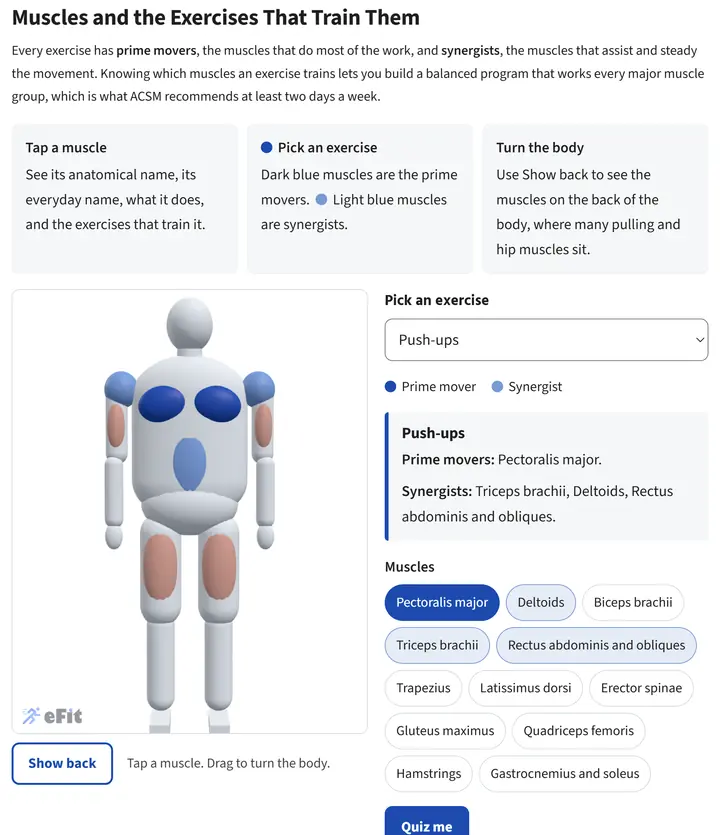
Muscles and the Exercises That Train Them
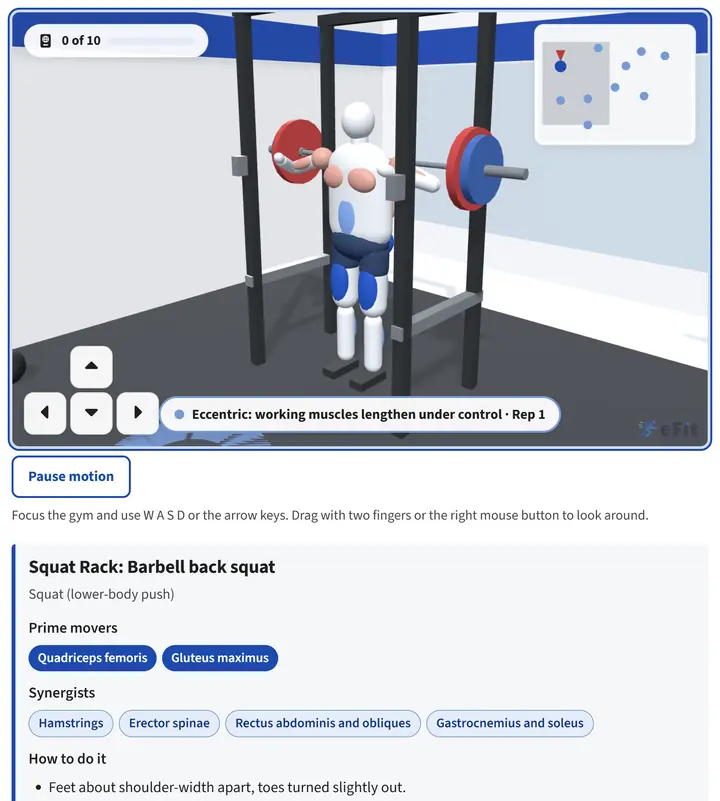
Students tap 12 muscle groups by anatomical name, or pick an exercise to light up its prime movers and synergists. A quiz mode checks what they learned.
Module 3: Muscular Strength and Endurance
eFit Gym
Students walk an avatar through a 3D gym with 10 equipment stations. At each one the avatar demonstrates the lift while the working muscles glow, and a check question earns a stamp in their Gym Passport.
Module 4: Nutrition for Wellness
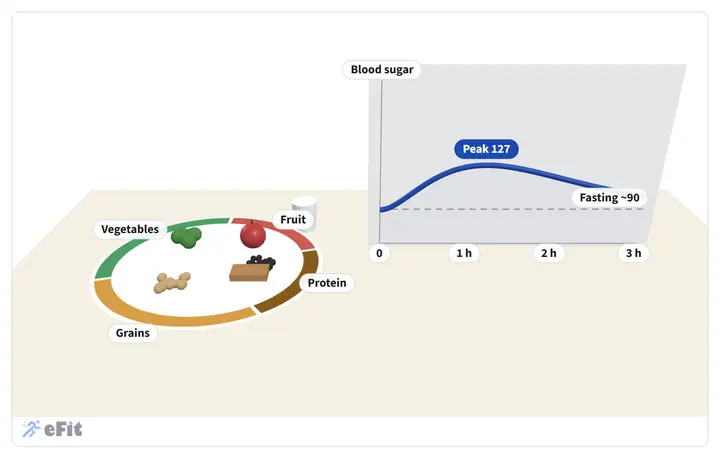
Build a Plate
Students build a meal on a MyPlate plate and watch an estimated three-hour blood sugar curve, then compare a fast-food combo with a balanced plate.
Module 5: Weight Management
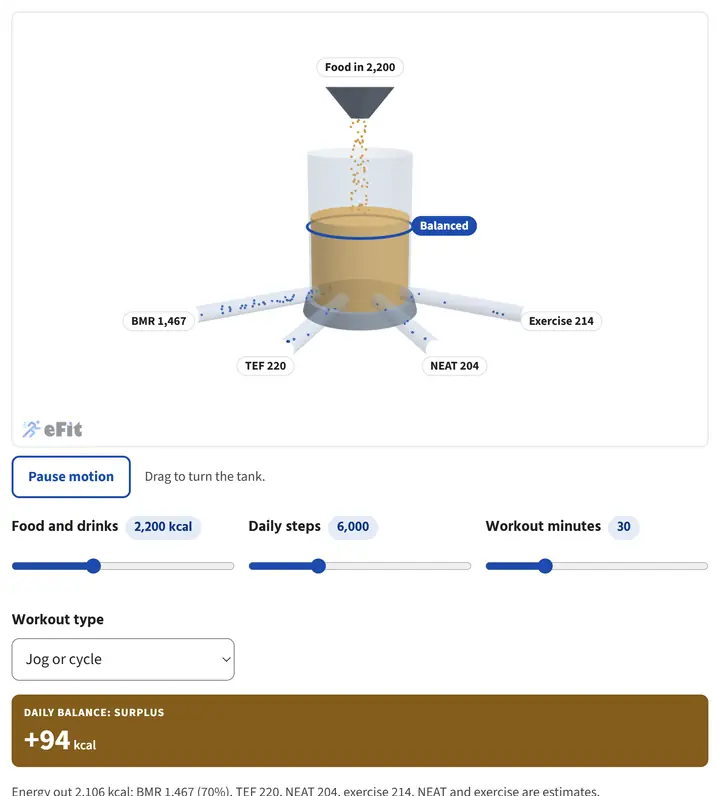
The Energy Balance Machine
Students adjust food, steps and exercise and watch energy flow in and out of a tank through basal metabolic rate, food digestion, daily movement and exercise.
Module 6: Flexibility
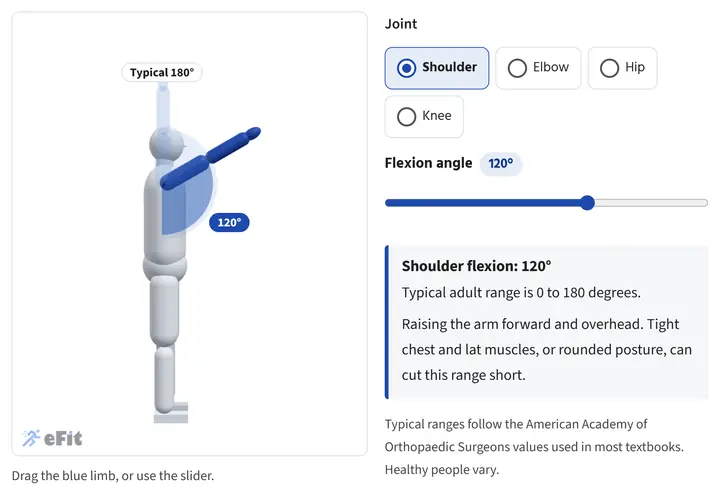
Range of Motion
Students move the shoulder, elbow, hip and knee through their range with an on-screen protractor and compare it with typical adult ranges.
Module 6: Flexibility
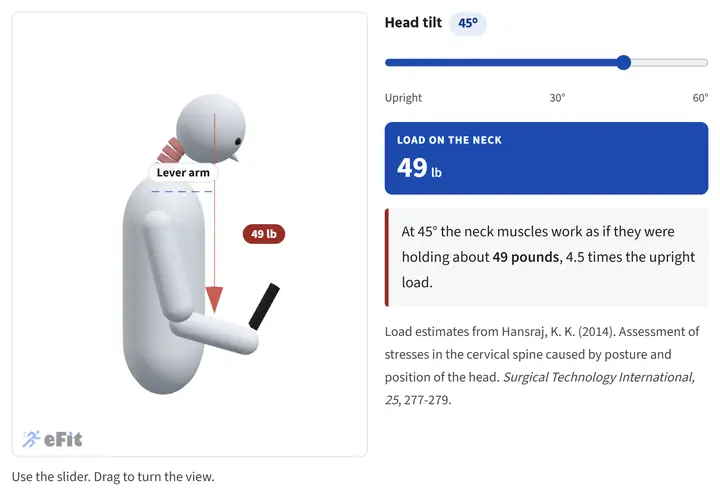
Text Neck
Students tilt the head toward a phone and watch the estimated load on the neck climb from about 11 to 60 pounds.
Module 8: Wellness Issues
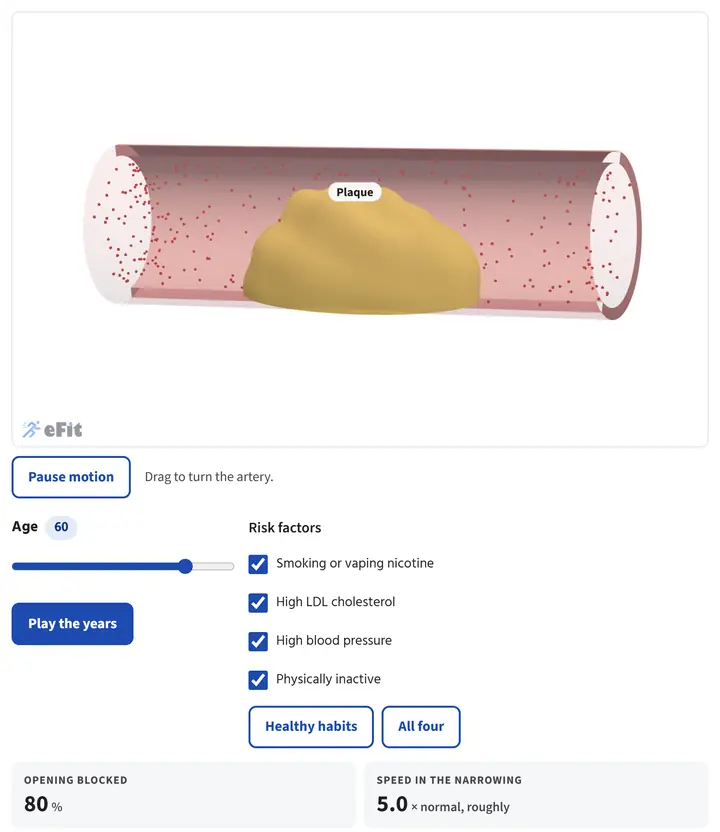
Artery Time-Lapse
Students move age from 20 to 70, with or without four risk factors, and watch plaque build and narrow the artery.
Module 8: Wellness Issues
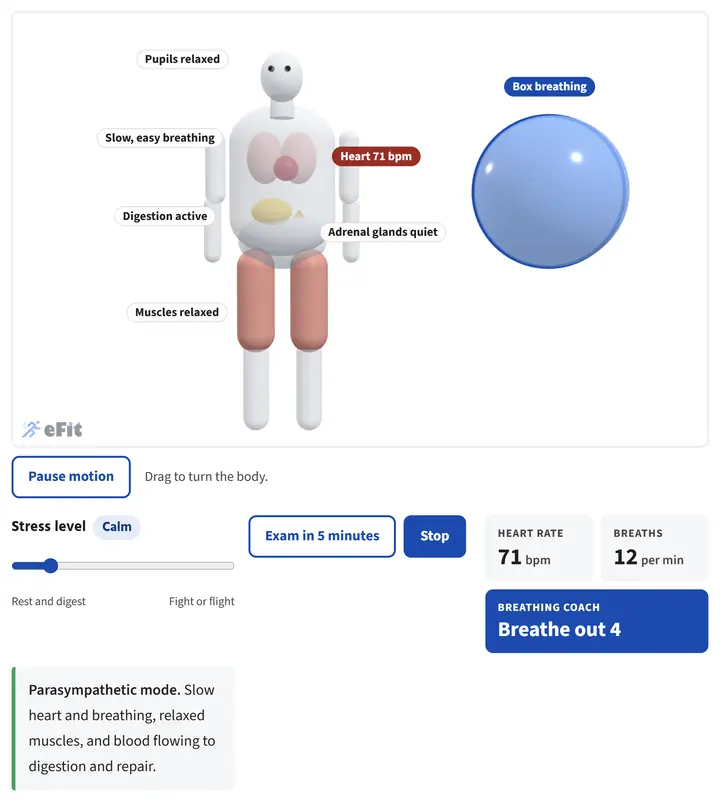
Stress Response and Box Breathing
Students switch the body between fight or flight and rest and digest, then follow a guided box-breathing orb and watch stress fall.
Built to teach
Each lab follows the same pattern, so students know what to do from the first one.
Predict, then check
A question asks students to commit to an answer before the lab shows them, with instant feedback.
Change the inputs
Sliders and buttons drive the model, often with the student's own age, heart rate or steps.
Takeaways
Every lab closes with the few points worth remembering, tied back to the reading.
Accessible
Keyboard controls, a pause button for motion, and a text description of every model.
Part of a complete, ready-to-teach course
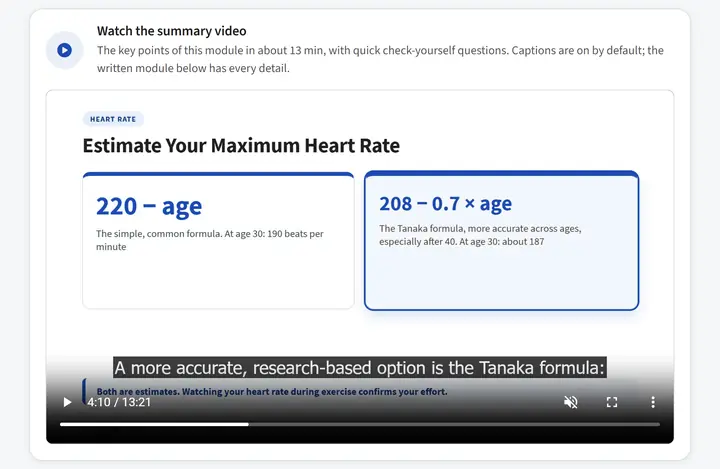
The labs come with the eFit eBook: eight modules revised in September 2026 against current research. Every module also has a narrated summary video with captions and check-yourself questions, full audio narration, and a slide deck.
Pair the course with eFit's automatic activity grading and a class Walking Journey, and your students learn the science and live it in the same semester.
Questions about the labs
Do students need special software or a VR headset?
No. The labs run in any modern web browser on a laptop, tablet or phone, inside the eFit eBook your students already use.
Are the labs graded?
Each lab includes a predict-then-check question that gives students instant feedback. The labs support the reading and the module quizzes; your course grade still comes from the assignments you choose.
Are the labs accessible?
Every lab can be operated with a keyboard, has a pause control for motion, and includes a full text description of what the model shows for students who use a screen reader.
Which courses are the labs designed for?
The labs follow the eFit health and fitness eBook, so they fit concepts of fitness and wellness, personal health, kinesiology and physical education courses, in person, hybrid or online.
See the labs in the demo
Open the eBook in the eFit demo and try every lab yourself. Students: $59 per student, per semester. Faculty accounts are free.